When you need a custom tool to run your business—whether it’s a client portal, internal dashboard, or membership site—it can feel like you’re stuck between two unappealing options:
- Use something off the shelf that doesn’t quite fit your needs.
- Hire a developer to build something from scratch—expensive, slow, and hard to change later.
Softr presents a third option. It’s an AI-powered, no-code platform that lets non-technical users build custom business apps and internal tools with databases, interfaces, forms, and workflow automation. For solopreneurs, startups, and even large teams, that can be a game-changer.
This article explains what Softr is, what it’s used for, who it’s best for, and how it stacks up against the alternatives.
What is Softr?
Softr is an AI app builder that allows users to transform transform data from Airtable, Google Sheets, Notion, Coda, SQL, or other data sources into functional web applications — or build entirely on Softr’s native databases.
What is Softr Used For?
Softr allows anyone to build powerful web applications without needing technical skills. It is primarily used for creating client portals, internal tools, membership websites, online directories, and custom CRMs. With its drag-and-drop interface and integrations with Airtable, Google Sheets, and other databases, Softr makes it easy for businesses, startups, and teams to turn spreadsheets into fully functional apps.
Beyond client portals and internal dashboards, Softr is also popular for building marketplaces, resource libraries, learning management systems (LMS), and community platforms. Companies use it to centralize workflows, improve collaboration, and provide customers with self-service access to important information.
Because it eliminates the need for traditional coding, Softr is especially valuable for non-technical founders, small businesses, and growing teams who want to quickly launch scalable tools without hiring developers.
Who Uses Softr?
Business of all sizes
From local businesses to Fortune 500 companies, Softr provides plans for various organizational needs, allowing startups and small to medium-sized businesses to build custom tools without needing a development team.
Freelancers and individual creators
Freelancers and individual creators can utilize Softr to create gated content, client portals, or platforms for selling products. The platform offers flexibility for those looking to manage and share information with their clients or audience.
Internal teams
Internal teams leverage Softr to create dashboards, internal tools, and lightweight CRMs, enabling them to streamline business operations and improve efficiency.
What are the Main Features of Softr?
No-code app building
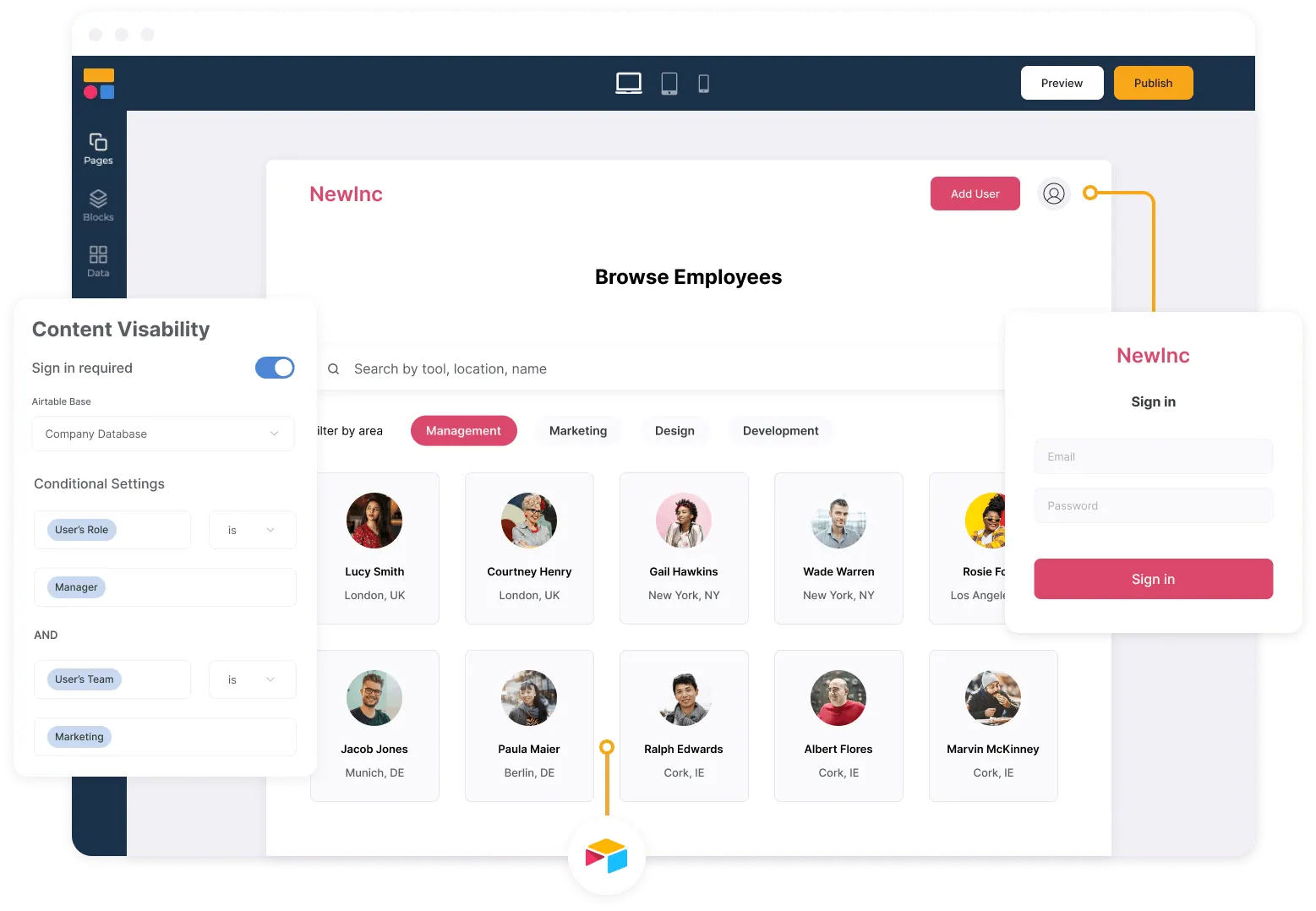
Softr makes no-code app development simple by providing an AI co-builder, visual editing, and a wide range of pre-built blocks and templates. Users can design and launch fully functional web applications, client portals, and internal tools without writing a single line of code.
Whether you’re building a custom CRM, employee dashboard, or membership platform, Softr’s no-code approach removes the technical barrier and speeds up the app creation process.
No-code app building with Softr is especially useful for entrepreneurs, small businesses, and teams who want to save on development costs, quickly test ideas, or scale operations without hiring developers. By reducing complexity, Softr empowers anyone—from non-technical founders to enterprise teams—to create apps that solve real business problems.
Data integration
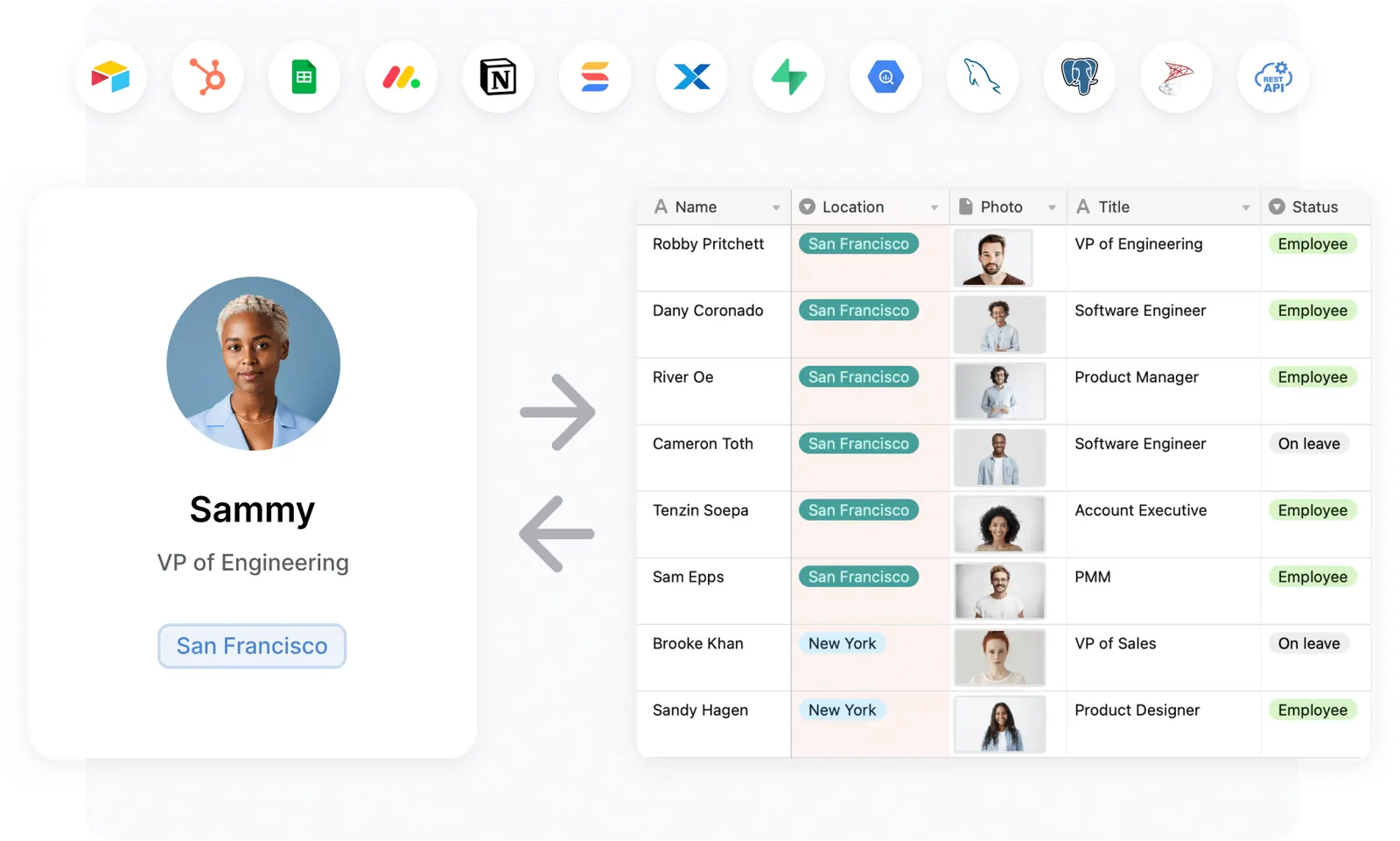
One of Softr’s biggest strengths is its data flexibility. The platform includes native Softr Databases, plus connects directly with 17+ external data sources including Airtable, Google Sheets, Notion, HubSpot, SQL, and more. This allows users to transform their existing data into custom apps without needing to write custom code.
With real-time syncing, any updates made in your database are instantly reflected in your Softr app—ensuring accurate, up-to-date information for your team or customers. This makes Softr ideal for building apps like client portals, directories, CRMs, and dashboards that rely on live data.
In addition to Airtable and Google Sheets, Softr also supports Zapier, Make (Integromat), and API-based connections, giving users flexibility to pull in data from other platforms or automate workflows across different tools. This level of integration means businesses can keep using their preferred databases while still creating professional-grade applications on Softr.
Gated content
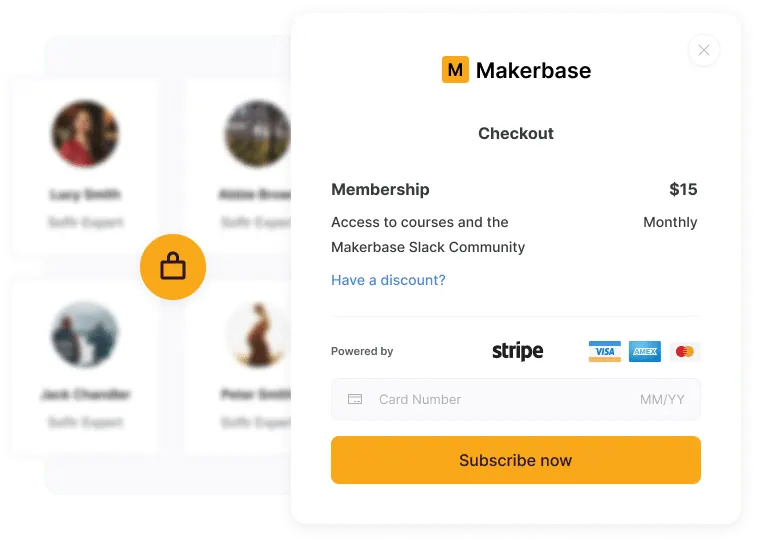
Softr makes it simple to create gated content by supporting user authentication, groups, and permission settings. This feature is especially useful for building membership sites, client portals, online courses, and internal tools where access needs to be restricted based on user roles.
With Softr, you can decide which pages, resources, or data each user group can view—ensuring that sensitive information is only accessible to the right audience. For example, businesses can set up client-only dashboards, educators can share course materials with enrolled students, and startups can provide exclusive content for premium subscribers.
By combining gated content with Softr’s data integration and no-code app building, businesses can deliver personalized experiences, improve security, and add value to their digital platforms without the complexity of custom development.
Customizable forms
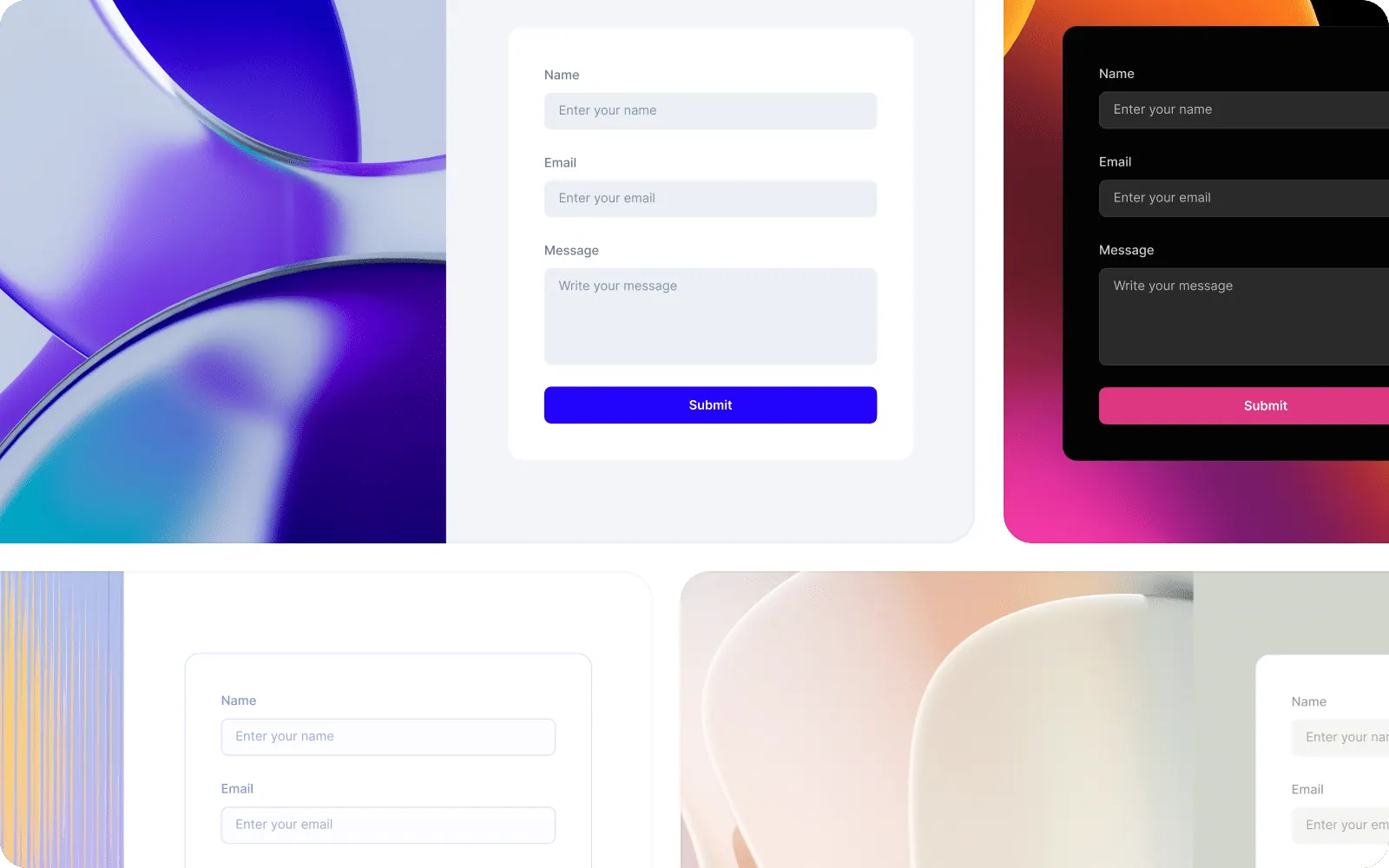
Softr includes powerful customizable form-building tools that let users collect, update, and manage data directly within their applications. With features like conditional logic, dynamic fields, and custom styling, forms can be tailored to fit a wide variety of use cases—from lead capture and feedback collection to client intake forms and internal data updates.
Because Softr forms integrate seamlessly with Airtable, Google Sheets, and other connected databases, all submitted information is automatically synced and stored in real time. This makes it easy for teams to maintain accurate records, automate workflows, and eliminate manual data entry.
Customizable forms are especially valuable for businesses building CRMs, membership platforms, or client portals, since they allow users to securely submit and edit their own information while keeping everything centralized in one place.
Integrations
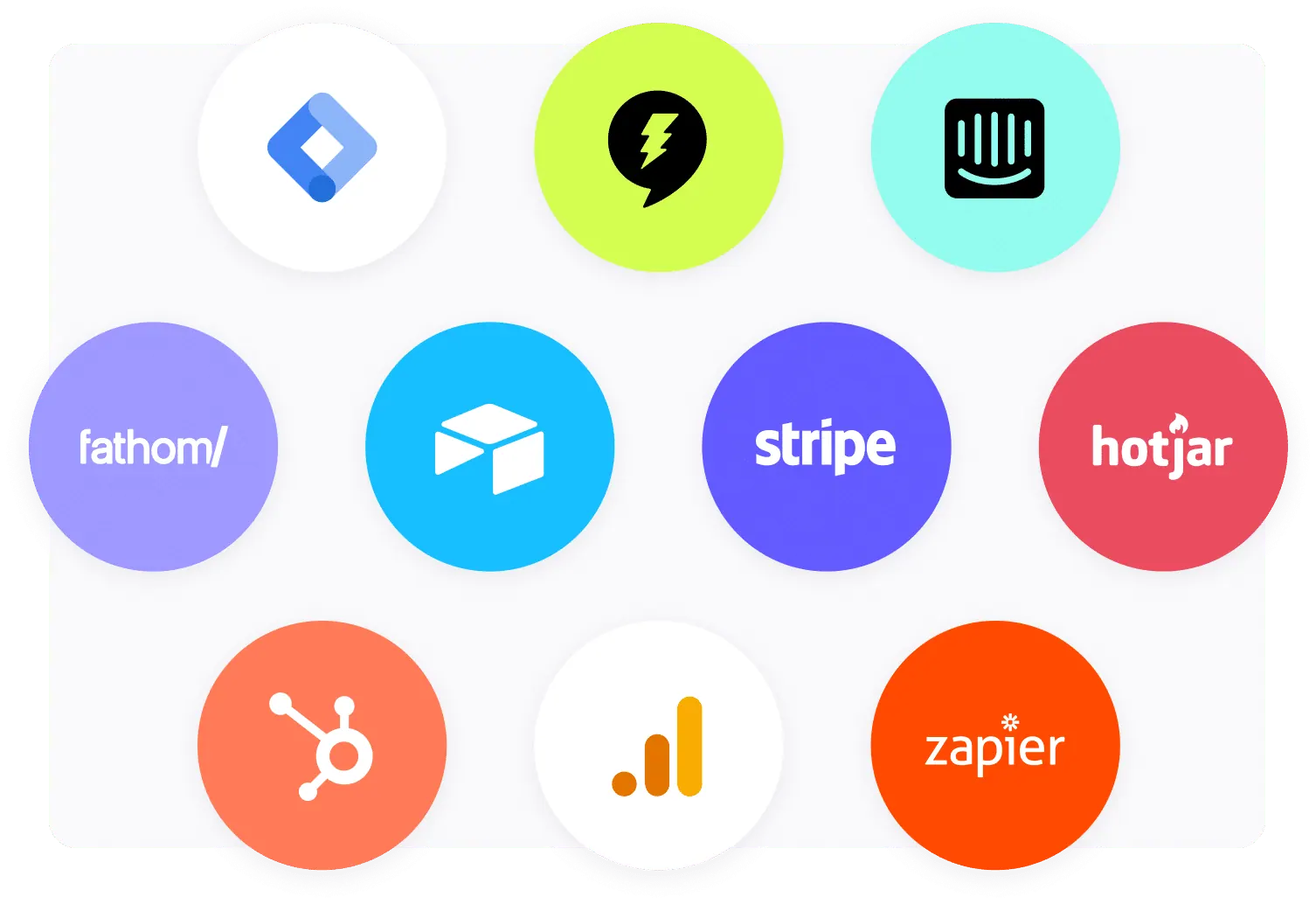
Softr supports a wide range of third-party integrations that allow users to extend the functionality of their applications. Beyond its core data connections with Airtable and Google Sheets, Softr also integrates with essential business tools such as payment gateways, automation platforms, and analytics solutions.
For example, users can connect Stripe, PayPal, or other payment processors to enable subscriptions, e-commerce features, and one-time payments directly within their apps. Softr also supports Zapier, Make (Integromat), and API-based connections, making it easy to automate workflows and link Softr apps with hundreds of external tools.
Additionally, developers and advanced users can take advantage of custom code embeds to add scripts, widgets, or specialized functionality that goes beyond Softr’s pre-built features. This flexibility makes Softr suitable for everything from simple membership sites to complex client portals, marketplaces, and internal business tools.
AI features
Softr includes several AI-powered capabilities designed to speed up building and extend what’s possible without code. The AI builder generates working app structures and databases from plain-language prompts. The Vibe Coding Block lets users generate fully custom UI components and tools from a prompt, going beyond standard blocks when more design flexibility is needed. Ask AI adds a built-in chat assistant to your app, letting users query data and get answers directly from the system. Softr also includes AI agents for automating database and workflow actions — all without writing code.
What are the Pros & Cons of Softr?
Pros
- Real-time data sync and built-in databases — Softr can read and write to Airtable and other connected sources for always up-to-date data. Users can also store data directly in Softr Databases, removing the need to rely on a third-party tool entirely.
- Highly user-friendly interface: With intuitive drag-and-drop building, pre-built content blocks, and templates, Softr is accessible even to non-technical users.
- Responsive & supportive team: Reviewers frequently praise Softr’s prompt, helpful customer service and its responsiveness to user feedback.
- Fast prototyping and development — Ideal for quickly building internal tools, client portals, and operational systems thanks to AI generation and time-saving components.
- Flexible pricing & free tier: Offers a generous free plan and affordable paid tiers, making it accessible for individuals, startups, and small businesses.
- Built-in SEO features & PWA support: Helps apps get discovered with SEO optimization, and supports progressive web apps for mobile browsing.
Cons
- Design flexibility has a ceiling — Pre-built blocks offer convenience but have limits for highly unique layouts. The Vibe Coding Block extends flexibility by generating custom UI components from a prompt.
- Not designed for complex SaaS products — Softr handles complex business apps and full internal systems well, but isn’t built for custom SaaS products requiring fully custom backend architecture or real-time collaboration at scale.
- Lacks native mobile app publishing: While PWAs are supported, publishing natively to iOS/Android app stores isn’t an option.
- Scalability and performance limits: As projects grow in complexity or data size, Softr may face performance or data-handling constraints.
- Mobile optimization shortcomings: Some users report that mobile experiences aren’t as polished as desktop, especially regarding performance.
- Documentation and feature gaps: Areas like advanced documentation, video embedding (e.g., Loom), and robust filtering could be improved.
How Much Does Softr Cost?
Softr offers several pricing tiers:
- Free: This plan costs $0 per month and is suitable for trying out the platform’s basic features, 10 app users, and 5,000 Softr database records.
- Basic: Priced at $49 per month (when billed yearly), the Basic plan is designed for makers building simple projects. It includes 3 published apps, 20 app users, and 50,000 Softr database records.
- Professional: At $139 per month (when billed yearly), this plan is for companies building portals and internal tools. It offers unlimited apps, 100 app users (with an option for +$10 for every 10 extra users), and 500,000 Softr database records.
- Business: The Business plan costs $269 per month (when billed yearly) and is intended for companies building advanced systems at scale. It includes unlimited apps, 500 app users, unlimited user groups, and 1 million Softr database records.
- Enterprise: For larger organizations with specific needs, Softr offers custom Enterprise pricing. This plan provides advanced features like global data restrictions, domain-restricted sign-up, and advanced data sources.
Softr also offers a 30% discount for non-profit organizations and educational institutions.
How to Get Started with Softr
To get started with Softr, you can sign up for a free account. Once registered, you can build or import your database in Softr, or connect your data source such as Airtable, Google Sheets, HubSpot, or Notion. From there, start building with AI or choose from a variety of templates, customize logic and layout, and publish your app.
What are the Best Alternatives to Softr?
Ahsuite
Ahsuite focuses on secure client portals, offering features like task management, embed-anything capabilities, and an emphasis on ease of use for client collaboration. It’s free for up to 10 client portals.
SuiteDash
SuiteDash is positioned as an all-in-one business hub, combining various functionalities like CRM, project management, and client portals into a single platform.
ClickUp
ClickUp is a versatile project management tool that can be complex but is powerful for teams needing extensive task organization, collaboration, and customizable workflows.
Elementor
Elementor is a popular WordPress page builder that allows for no-code web creation, focusing on design and layout for websites rather than web applications driven by databases.
Glide
Glide is another no-code platform that specializes in building mobile-first applications from spreadsheets, offering a different focus compared to Softr’s broader web application capabilities.
Stacker
Similar to Softr, Stacker is a no-code platform for building applications from your data, with a strong focus on creating internal tools and customer portals.
Summary
Softr strikes a balance between rigidity and complexity. It’s more customizable than an off-the-shelf tool, but far easier than building from scratch. For anyone who needs an internal tool or portal quickly, Softr offers a compelling solution.
But if your priority is secure, organized client communication—especially if you want to share files, tasks, or dashboards—Ahsuite may be the better fit. It’s free for up to 10 client portals, and designed with ease of use in mind.
You can explore Ahsuite to see how simple client collaboration can be.